
 Blog
Blog Can you really trust your network data? If you’re reading this, odds are you’re thinking “no.” And if that’s the case, you’re not alone.
At the enterprise scale, you’re juggling dozens of vendors on top of siloed, unstructured, and hard-to-query data. You’ve amassed a hodgepodge of tools with different GUIs, operating systems, and APIs. There’s simply no way for traditional monitoring tools to catch it all, leaving you with an incomplete and outdated picture of your network.
These visibility gaps make it difficult for human engineers to operate efficiently—and it’s no different for automation tools. As the saying goes, “You can’t automate what you can’t see.” But there’s a little more to it than that.
Learn how Red Hat got started with AIOps using IP Fabric.
What Data Do You Need to Get Started with AIOps?
AI doesn’t magically fix bad data. Before you embark on an AI or automation project, you need to take a moment to ask yourself:
- Is my data clean and free of errors?
- Is my data structured and normalized?
- Is my data contextualized with a complete view of network behavior?
- Is my data accessible to the people and AI agents that need it?
However, if you don’t have a complete or updated view of your network, you may not be able to answer these questions at all.
This is where network digital twin technology comes into play.
Learn how to build a network digital twin with IP Fabric.
IP Fabric is the leading network digital twin platform that ensures you always have a complete and up-to-date view of your network behavior. Here’s how it works:
- Discovery: IP Fabric maps every device, connection, and dependency in your network from end to end.
- Validation: During the discovery process, the platform also runs a series of automated checks to ensure your network behavior is aligned with your business intent.
- Reporting: IP Fabric delivers an interactive, timestamped map of your network, as well as the results of your intent checks. Both the map and results are normalized so they can be easily pushed to tools like Ansible and ServiceNow via the API.
But we’re not here just to talk about IP Fabric—we’re here to show you how you can use the data IP Fabric gives you to get started with AIOps. Let’s dive into it with a sample workflow.
5 Steps to Successful AIOps with IP Fabric, ServiceNow CMDB, and Ansible
Step 1: Discover Your Network
IP Fabric discovers your network the way an engineer would: through the CLI and API. The platform automatically communicates with all vendors (e.g. Cisco, AWS, Azure) to locate 100% of devices from core to cloud to edge, all the while documenting the configurations and dependencies for each one.
This data is what IP Fabric uses to build a network digital twin: a normalized, end-to-end model of your network state at a given point in time. (I say a “point in time” because IP Fabric can run discovery several times per day, so that you always have the most up-to-date view.)
IP Fabric then pushes this data via the API to tools like ServiceNow and Ansible, which we’ll cover in step two.
Learn how Red Hat got started with AIOps using IP Fabric.
Step 2: Push Network Data to Your ServiceNow CMDB
Many enterprises think of a CMDB as a static inventory—but that’s just not true. Your CMDB is always changing, and those changes can have a profound impact on everything from cost to compliance.
In most of our proof-of-concept sessions, we find that as much as 20-40% of what’s in the CMDB isn’t accurate nor up to date. If you begin to automate with this outdated or incorrect data, your only options are to spend hours validating your Ansible automation playbooks, or to cross your fingers and hope that your network isn’t deviating too far from your intent.
But by aligning your ServiceNow with IP Fabric, you can be sure that your CMDB is always validated.
Step 3: Push Network Data to Your Ansible Dynamic Inventory Plugin
Next we’ll rinse and repeat the above process in Ansible. Once connected, IP Fabric automatically populates your Ansible dynamic inventory plugin via the API, so you always have stateful data fueling your automation playbooks. No more manually maintaining static inventory files; IP Fabric’s dynamic inventory plugin pulls structured, normalized data directly from the API every time your network is discovered.
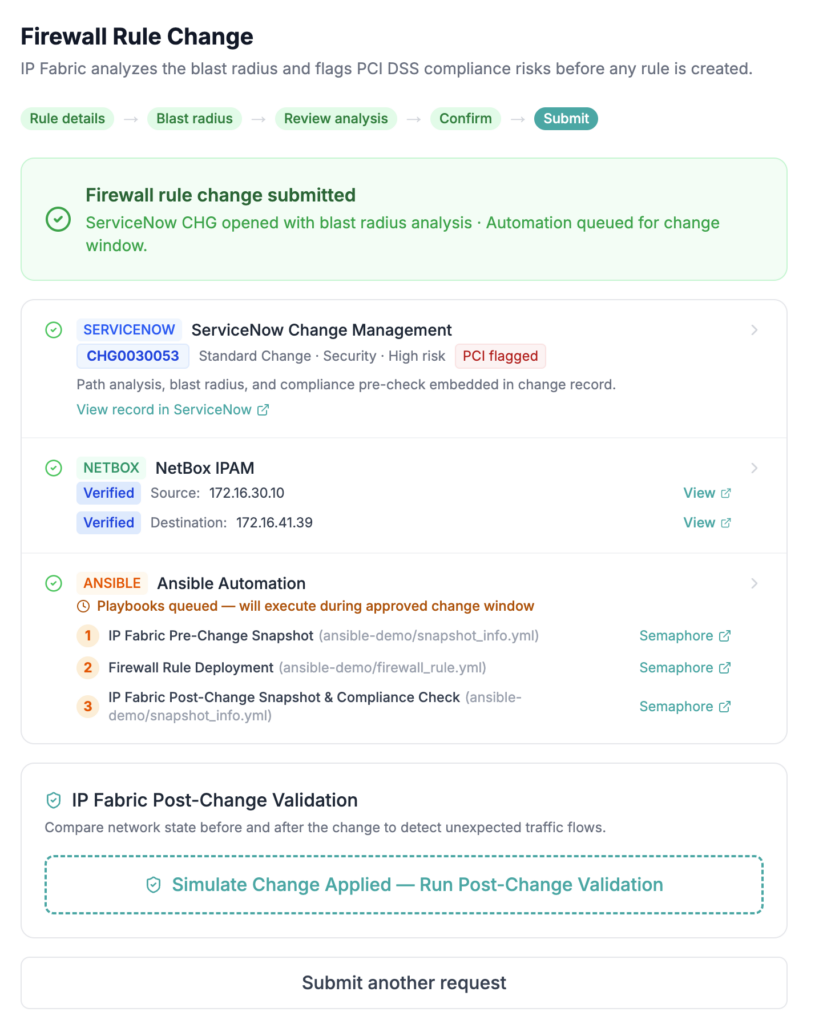
Learn how to automate firewall rule management with IP Fabric and Network to Code.
Step 4: Validate Network Data in ServiceNow & Ansible
ServiceNow and Ansible don’t have the ability to handle configuration-driven management on their own—but IP Fabric has it covered.
Now that we’ve established IP Fabric as our source of network reality, it’ll automatically sync with ServiceNow and Ansible every time we discover the network. (As I mentioned above, this can be several times per day.)
During each network discovery, IP Fabric runs a series of built-in and custom compliance checks across millions of infrastructure data points, and report the results via our GUI, API, or MCP server. Most businesses choose to create their own custom checks; it’s easy to do so, as it doesn’t require any advanced knowledge of coding or query languages.
By having these checks completed by a third party like IP Fabric, you’re also able to maintain a Segregation of Duties (SoD) for proper governance. You can think of this SoD as an additional layer of validation, ensuring that no single tool can push a change or workflow through without it first being checked against your business intent.
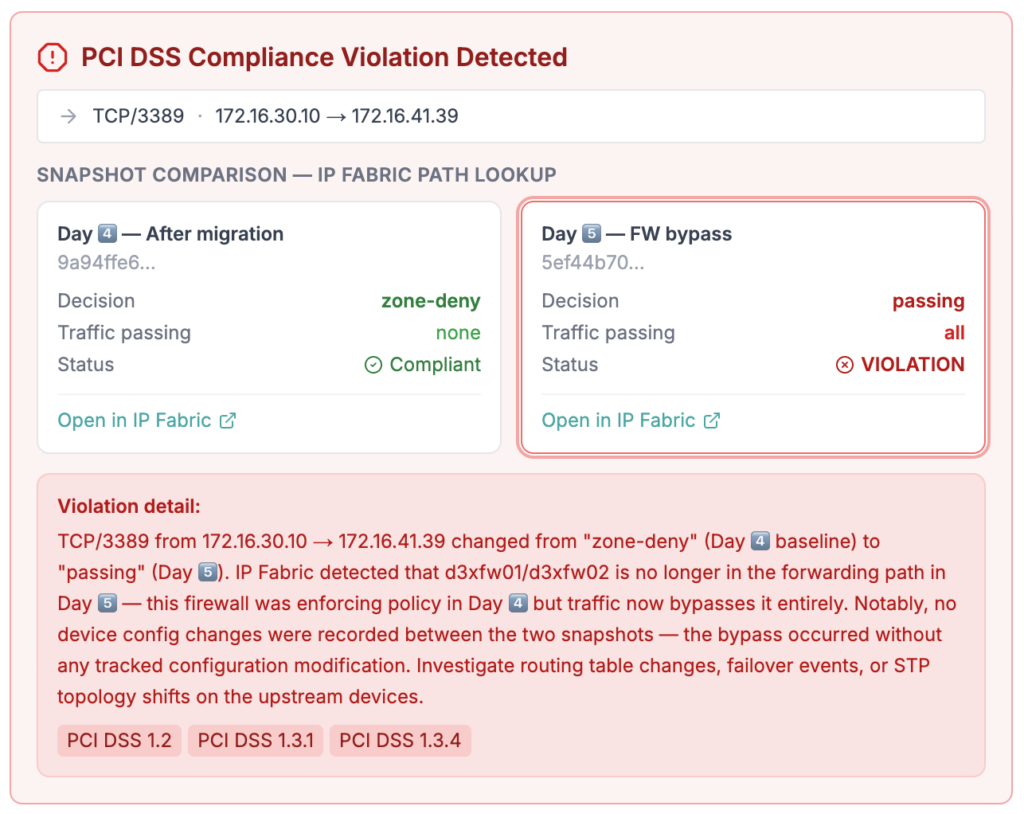
Learn more about IP Fabric’s intent checks for security and regulatory compliance.
Step 5: Push Changes With an Ansible Playbook
Operations, architecture, security, and compliance teams all need to have access to network data. If they can’t understand or access the data, it creates a bottleneck, placing an undue burden on the network team. The same thing happens with AI agents if they’re not informed by the right data.
With IP Fabric, your teams and tools alike have access to actionable network insights. That means you can trust your AI agents to put your Ansible playbooks into action, without the risk of downstream errors.
What Happens When You Can Finally Trust Your Network Data?
By following the above steps, you’ve built a solid foundation for AI adoption. But you’ll also see benefits like:
- A reliable source of reality for your network.
- An always-updated CMDB.
- Faster troubleshooting and mean time to repair (MTTR) should any issues arise.
These benefits not only keep you AI-ready, but also help you to lower network costs, ensure continuous compliance, and prepare for digital transformation projects.
Ready to take control of your data? Contact us to get in touch with a network automation expert today, or try a self-guided demo of IP Fabric today.
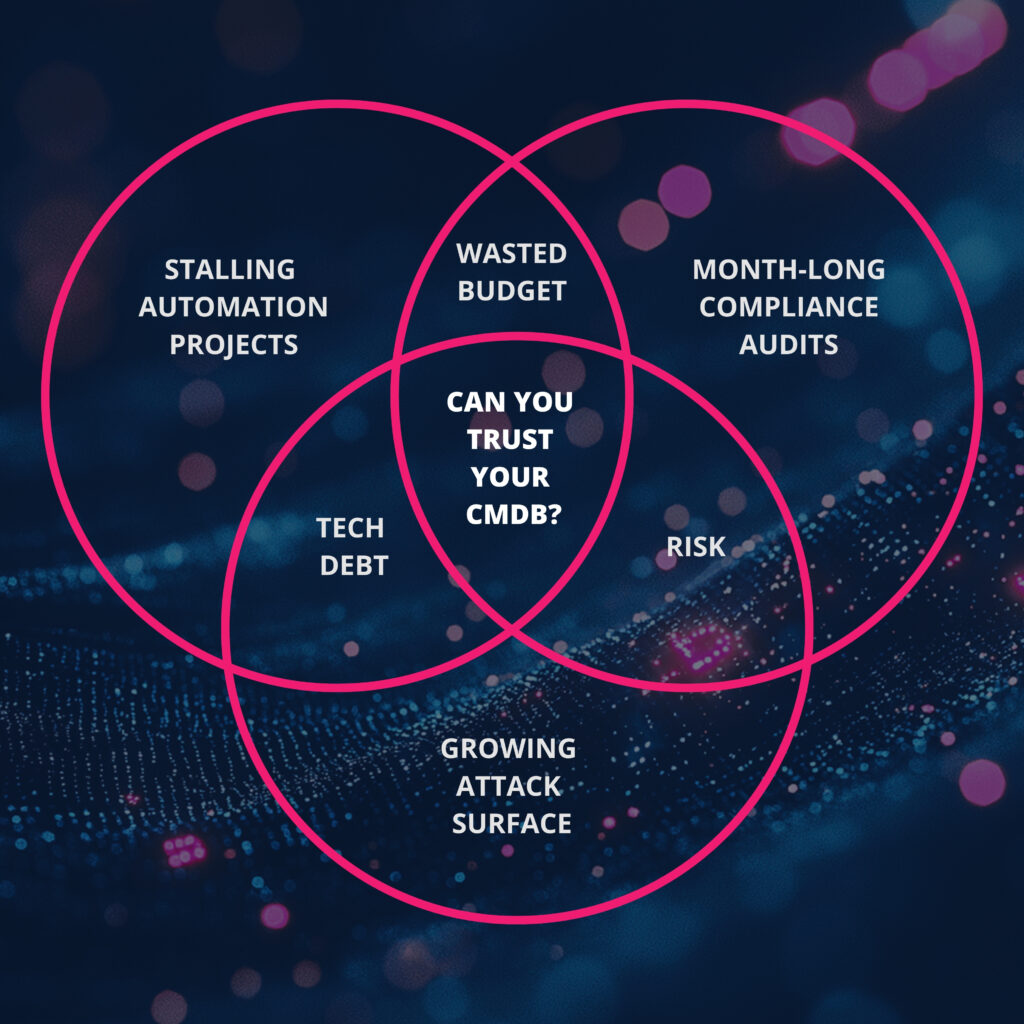
Why is CMDB accuracy so important for network operations? Read more.
FAQs
What Kind of Data Do You Need for AIOps?
Before AI can do anything useful, it needs data that meets the following qualifications:
- It has to be accurate. Even a 20-40% error rate in your CMDB means your Ansible playbooks will be targeting the wrong devices, missing others entirely, or inheriting compliance gaps.
- It has to be normalized. From Cisco to AWS to Azure, every vendor structures data differently. Without normalization, your AI and automation tools won’t know how to interpret your data.
- It has to be contextualized. It’s not enough to know that a device exists. You also need to understand its dependencies, and how a change could affect the rest of the network.
- It has to be accessible. Data needs to be available by API so teams and tools can query it easily, without causing bottlenecks.
What Happens If I Build AIOps Without the Right Data?
The short answer: your automation becomes a liability. At the enterprise scale, visibility gaps can compound quickly. Maybe a configuration change wasn’t captured, or a new device never made it into your CMDB. Individually, these seem like minor errors. But when your AI agents are executing changes at scale, those gaps translate to outages, noncompliance, and other risks. On top of that, when something goes wrong, it’s harder to diagnose because you can’t trust the data you’re troubleshooting with.
How Does a Network Digital Twin Help with AIOps?
Most enterprises already have monitoring tools, CMDBs, and automation platforms—but they’re all working from different snapshots of the network. They’re updated at different times, with different levels of coverage. IP Fabric’s network digital twins solve this issue by building a single, normalized model of your entire network, which is refreshed several times per day. This means your AI agents and teammates alike are always working from the freshest and most accurate network data.
Why Does CMDB Accuracy Matter for AIOps?
At the enterprise scale, your CMDB is always in motion. Devices get decommissioned, new devices get added, configurations change. When those changes aren’t properly captured, the ripple effects can be costly. You could be stuck paying maintenance contracts on hardware that’s already been retired, or looking at compliance reports based on a network that no longer exists. In line with this, your automation will be running against a device inventory that doesn’t match what’s actually in your network. When something inevitably breaks, your engineers will be troubleshooting with data they can’t trust, which not only takes longer, but also drives up operational expenses due to downtime, noncompliance, and more.
How Do I Get Started with IP Fabric’s ServiceNow CMDB Integration?
Our ServiceNow CMDB extension runs via a Python command-line tool that syncs network inventory data between IP Fabric and ServiceNow. To get started, install the tool via pip, then configure a staging table in ServiceNow, where IP Fabric data lands before being mapped to your CMDB. From there, the extension automatically compares your live network data against what’s in ServiceNow and reconciles any discrepancies. Read our installation guide for more details.
How Do I Get Started with IP Fabric’s Ansible Integration?
Get started by installing the IP Fabric Ansible collection from Ansible Galaxy. Once installed, the dynamic inventory plugin connects to IP Fabric via the API and handles the rest automatically. Now every time IP Fabric discovers your network, your Ansible inventory updates with it. No more manually typing key-value pairs, since IP Fabric’s network discovery is already reported in YAML. Contact our team for more details.