
 Blog
Blog When someone tells you “an application isn’t working,” they aren’t telling you which device, path, or policy to check. It’s up to you, the network engineer, to determine why the application is failing so you can restore critical services. In order to do that, you need to understand how applications depend on cloud and network infrastructure.
You might reference your CMDB, your observability tool, or your application service mapping tool, but none of them can give you the full picture of how your cloud, network, and host-level policies impact your applications. You might check in with cloud and security teams for additional context, but they’re also limited by their siloed tooling. Your only option is to manually map your application’s dependencies yourself, relying on hard-earned institutional knowledge to infer why the application is failing.
But what if you could skip all that, and jump straight to the part where you know exactly what the problem is? Or what if you could have prevented the whole scenario from happening in the first place?
IP Fabric’s new application-to-infrastructure mapping capabilities are here to help you do just that.
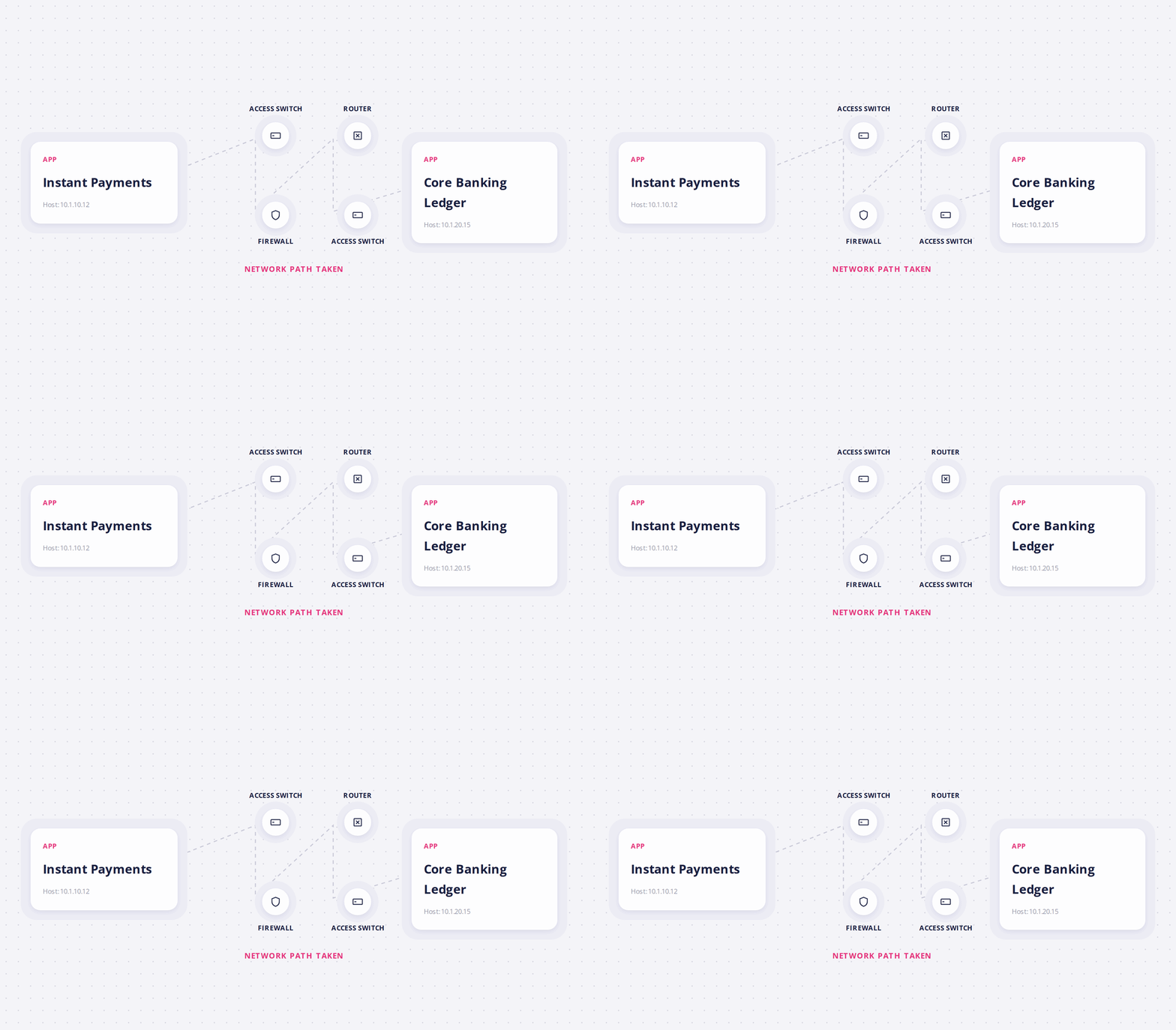
Why Do I Need Application to Infrastructure Mapping?
Your applications are the “crown jewels” of your business. When an application goes down, it impacts critical services, costs your business revenue, and puts your security / regulatory compliance at risk. The best way you can minimize that risk is by building application awareness into your understanding of cloud and network environments—ideally in a programmatic way, so you don’t run into roadblocks with manual updates or unreliable data.
For example, let’s say you’re making a change at the network, cloud, or host layer. Before you or your AI agent push that change, you need to ask yourself:
- What devices and flows support my critical applications?
- What could break if I change a given component?
- Will this impact segmentation or any other security / regulatory policies?
IP Fabric can now answer these questions for you by correlating application data from tools like Illumio with observed cloud and network behavior.
What Are the Benefits of Application to Infrastructure Mapping?
Every workflow needs a trusted data source, especially if you’re automating at scale. IP Fabric ingests application data and maps dependencies every time it discovers your environment, which can be several times per day. That means you and your AI agents always have a complete and updated model of application behavior across cloud, network, and host layers. Access this model on demand via open API or enterprise-grade MCP server, and use it as fuel for automating:
- Change management: Understand the blast radius that a network or cloud-level change will have on applications.
- Troubleshooting: Run root cause analysis across every application, flow, workload, and device simultaneously.
- Security / regulatory compliance: Validate that segmentation intent matches observed behavior at cloud, network, and host layers to prove compliance with frameworks like CIS, NIST, and ISO 27001.
These are just a few of the ways you could leverage IP Fabric’s application-to-infrastructure mapping capabilities. When you have a verified, application-aware dataset like IP Fabric’s, it serves as the foundation for any automated workflow across your business, ensuring that you and your AI agents have the context you need to make reliable decisions.
Transcript
IP Fabric is the only assurance platform that shows the relationships across network, cloud, and applications and services. App infrastructure mapping or AIM adds application context to IP Fabric’s deterministic network and cloud model, revealing each business service and the infrastructure that supports it. Flows connect that service context to observed communication. Teams can review source workloads, destinations, ports, and protocols, then calculate the real network path to validate whether traffic can actually get through. Workloads turn IP addresses into meaningful application components. AIM associates virtual machines, containers, or bare metal hosts with the applications they serve, giving network and application teams a shared operating picture. Device context completes the relationship for any application flow. Teams can see the routers, switches, firewalls, and cloud controls in the path, making dependencies and potential change impact immediately visible. AIM starts with native Illumio integration and a vendorneutral data model through native connections and structured ingestion. The model can be supplemented with context from platforms such as Guardicore, Dynatrace, DataDog, and similar sources. Teams can define or import application groups and environments, preserving business meanings such as production, staging, and development without rebuilding the network model. Each application is linked to its workloads and interfaces, so ownership, and placement stay connected to current infrastructure evidence as the environment changes. Flow definitions add source, destination, protocol, and port. IP Fabric correlates application identity, workload placement, topology, and enforcement into one evidence-grade model. That visibility supports compliance, resilience, and security, and helps teams plan refreshes and migrations. AIM extends IP Fabric’s value to application, DevOps, security, compliance, and procurement teams.
How Does Application to Infrastructure Mapping Work?
Your microsegmentation or application performance monitoring tool can tell you that an IP belongs to a given application, but they can’t trace the path that IP takes through cloud and network layers. That’s where IP Fabric comes in; after ingesting application data from tools like Illumio, Guardicore, Dynatrace, or Datadog, IP Fabric is able to connect applications to the network paths, cloud services, and security controls that support them.
Step 1: Ingest & Correlate Application Data
There are two ways to push application data into IP Fabric:
- Automated: Crawl Illumio’s Policy Compute Engine (PCE) every time you run discovery.
- Manual: Import application data via API or CSV files.
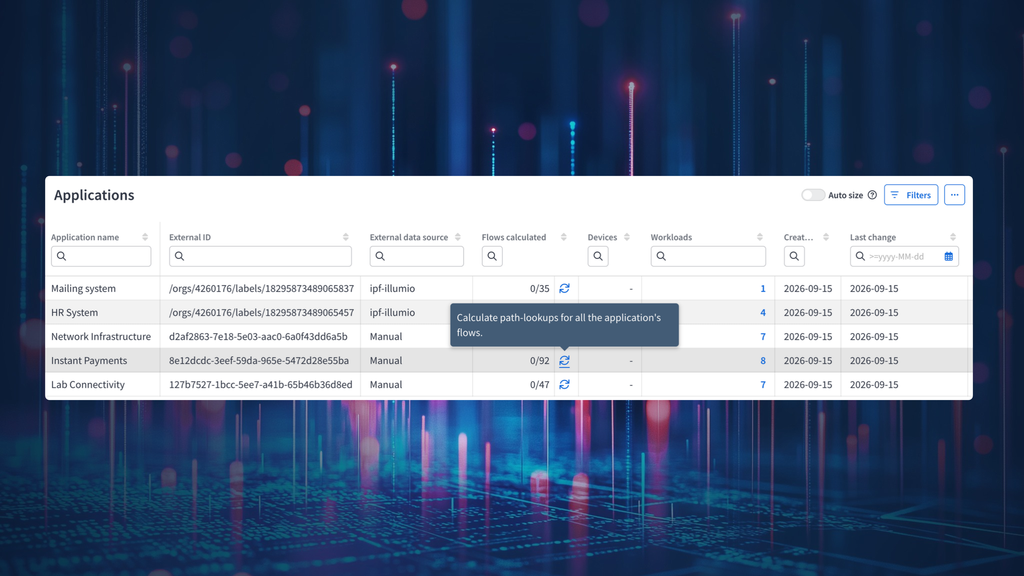
IP Fabric correlates this data to a model of observed cloud and network behavior, tracing dependencies from your applications to controls at the cloud, network, and host layer. It displays these dependencies in the form of four interlinked tables:
- Application tables: Get an overview of your applications.
- Workload tables: Check the servers, VMs, and containers that make up each application.
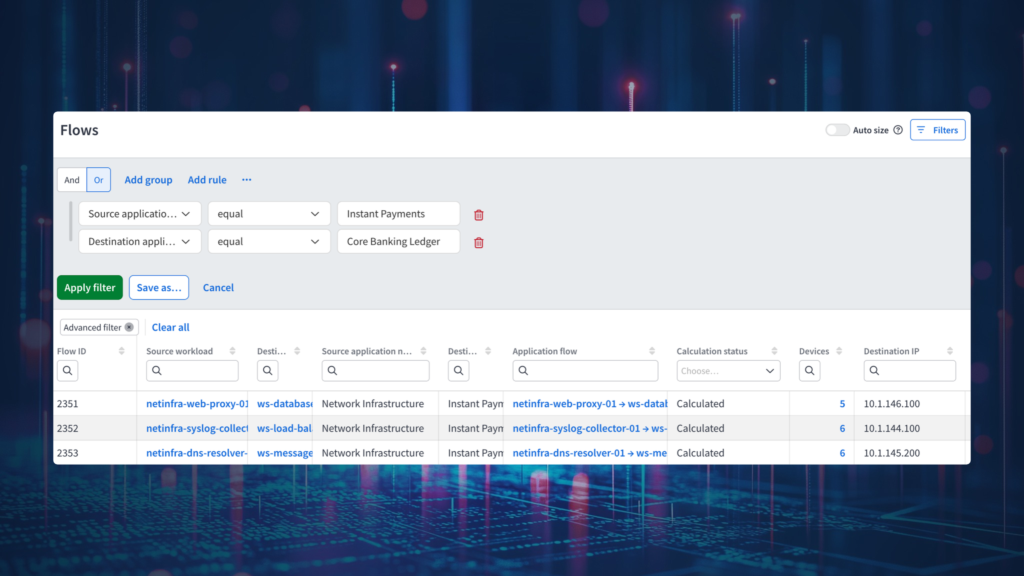
- Flow tables: Map the connections between workloads, including ports and protocols.
- Device tables: Trace application traffic across cloud & on-prem devices.
In other words, each of these tables gives you a different perspective on how your infrastructure delivers critical services.
Step 2: Trace Paths From End to End
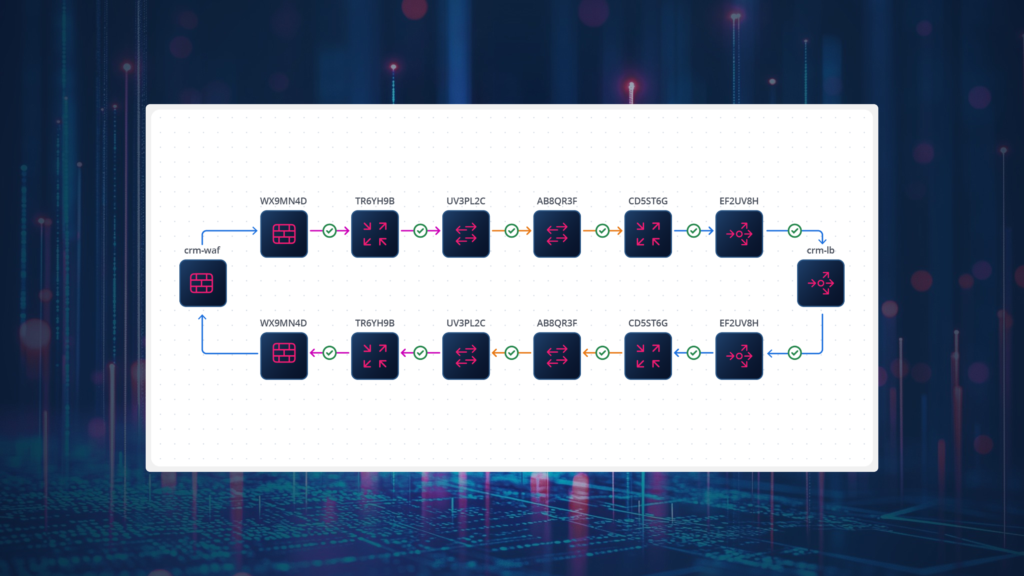
If you change a cloud or network component, what applications will be affected? If an app isn’t reachable, then what cloud or network control is at fault, if any? Simply ask these questions in natural language, and IP Fabric’s MCP server can give you the answers in a matter of seconds by tracing dependencies between any application and the cloud objects / network devices it uses to deliver critical services.
This feature is the key to quickly:
- Determining the blast radius of a change
- Diagnosing incidents & finding the root cause
- Validating application connectivity & segmentation policies
For example, if traffic is being denied somewhere at the subnet layer, then you can see the exact rule that’s causing it, along with a detailed breakdown of any impacted applications or policies.
Step 3: Validate Segmentation Policies
Your segmentation policy in Illumio says one thing, but your actual infrastructure may do another. IP Fabric closes the gap between intent and reality by continuously validating your security and compliance policies against observed network ACLs, cloud security groups, and host-based segmentation controls, all in a single end-to-end path.
If your policy data doesn’t match actual infrastructure behavior, then IP Fabric pinpoints the exact places where it deviates, automatically populating an ITSM ticket with deterministic insights so you know exactly where to start the remediation process.
With this level of application visibility, network and security teams can confidently prove that their segmentation policies are in place across the whole stack—which is vital for implementing Zero Trust frameworks, as well as for proving compliance leading security and regulatory standards.
What Else Can I Do With Application to Infrastructure Mapping?
Application awareness translates directly into business impact. It means you can push changes with confidence because you can gauge the blast radius of a change before you make it. It means you can restore critical services faster because you can find the root cause of an issue instead of inferring it. It means you can walk into audits with evidence that your segmentation controls are working exactly as you intended.
It also prepares you for the future of network operations, paving the way towards reliable AIOps and automation. IP Fabric not only ensures that your Source of Truth is always up to date, but also enriches that Source of Truth with application-aware insights, which gives your AI agents a trustworthy dataset to base their decisions off of.
That same dataset works just as well for you—a human—as it does for your AI agents. Gone are the days of piecing together context from different teams and tools: for the first time, every team gets a unified view of how your infrastructure delivers each critical service, which is updated every time you run discovery.
Now, when someone tells you an application isn’t working, you can tell them exactly why, and restore critical services in record time.
FAQs
How Does Application To Infrastructure Mapping Help With AIOps and Automation?
AIOps platforms and AI agents can only act on the data you give them. If that data is incomplete, inaccurate, or lacking application context, then it means AI agents don’t have all the data they need to make reliable decisions. IP Fabric gives AI agents a normalized, validated model of dependencies across cloud, network, host, and application layers. This model is updated automatically and can be queried on demand via open API and enterprise-grade MCP server, so when your AI agent is pushing a change or troubleshooting an issue, they can act on verified dependencies rather than inferences about your infrastructure.
How Does Application To Infrastructure Mapping Help with Application Troubleshooting?
Most troubleshooting time goes to finding out what the problem is, before you can actually start fixing it. You might spend an unnecessary amount of time checking stale CMDBs, inferring relationships from application monitoring tools, or piecing together pieces of the infrastructure from other tools that don’t have the complete picture of your environment. IP Fabric accelerates the troubleshooting process by automatically mapping application dependencies directly to underlying devices, paths, and policies. It gives you an application-aware model of your actual cloud and network behavior, so you can trace end-to-end paths to see exactly where traffic is being blocked, and what’s causing it. It also can be configured to automatically populate ITSM tickets with determinstic insights, so you can remediate any issues and restore critical services in minutes, rather than hours.
How Does Application To Infrastructure Mapping Help with Application Service Mapping?
Application service mapping tools build relationships from logical models, agent data, or assumptions about how an application should behave. Those maps look complete until something changes in cloud or network environments. IP Fabric automatically keeps up with any changes by continuously discovering your actual cloud and network behavior, and mapping that behavior directly to ingested application data. Think of IP Fabric as the execution and validation layer for your service mapping program; it ensures that your maps reflect the reality of your environment, as opposed to inferences from stale diagrams.
How Does Application To Infrastructure Mapping Help with CMDB Accuracy?
IP Fabric compares your CMDB against an observed model of cloud and network behavior, pinpointing any discrepancies between the two. By adding application context, IP Fabric takes things a step further; now, when you look at your CMDB, you can see the relationships that tether each critical service to the infrastructure beneath it. So if you’re using your CMDB as your Source of Truth, it gives your team a verified data source any downstream workflows.
How Does IP Fabric Ingest Application Data?
IP Fabric has a supported integration with Illumio, but can integrate seamlessly with other tools (e.g. Guardicore, Dynatrace, Datadog) via open API. IP Fabric also gives you the option to ingest application data manually through CSV files.
Want to see IP Fabric’s application-to-infrastructure mapping capabilities in action? Contact our team to request a personalized demo.